Everything APRON does.
Crew, vessel, operations and finance usually live in separate systems. APRON puts them in one.
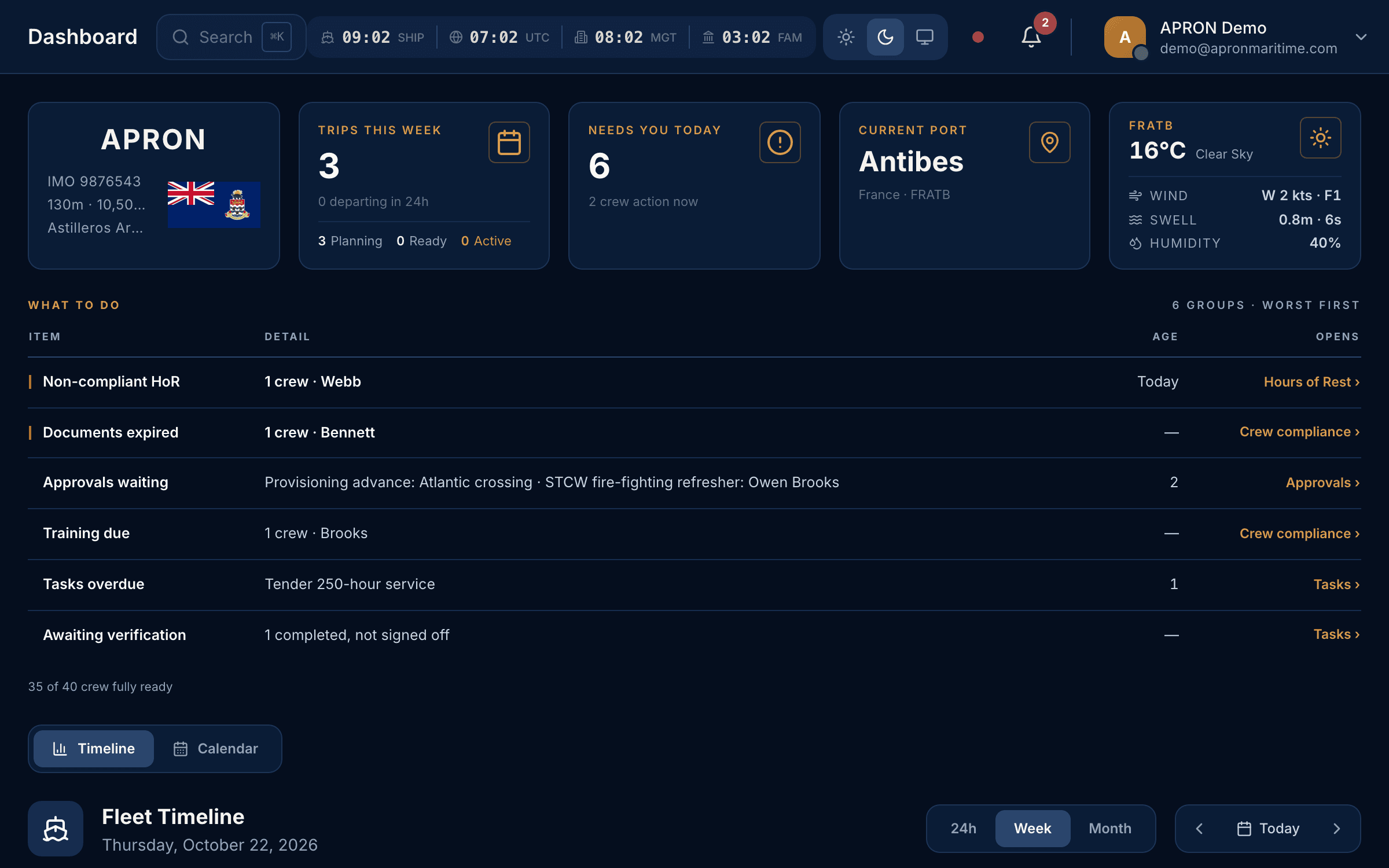
Dashboard
Today's priorities, worst first.
- Expiring documents, unread notices, HoR flags and approvals waiting, in one list.
- Ranked by urgency, so the worst thing on the vessel is always at the top.
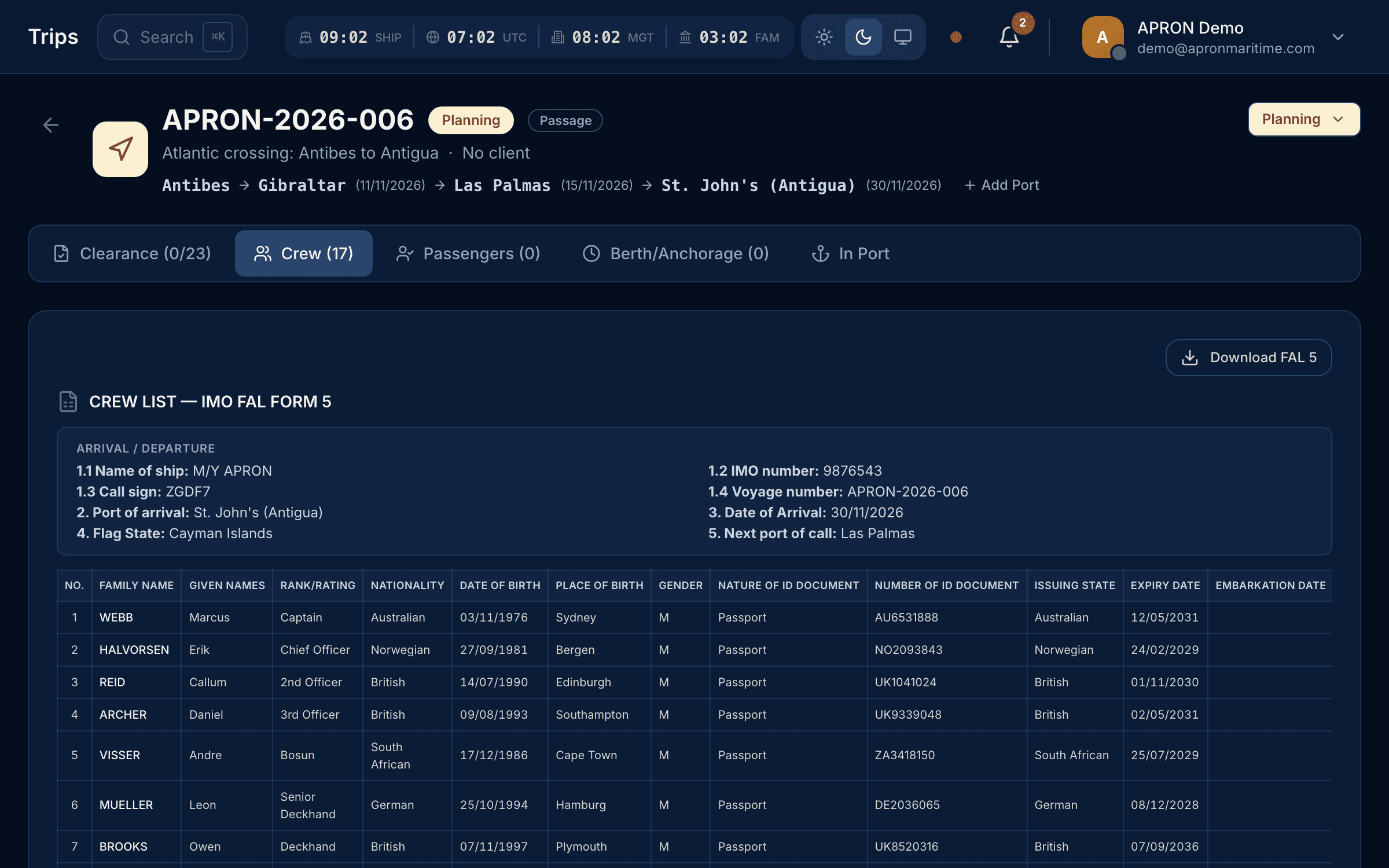
Trips
One plan for every department.
Add a trip once. Checklists, crew lists, clearance packs and port agent emails follow.
- Checklists compare against what's on file and list only what's missing.
- A clearance pack per port, permits linked to vessel certificates. Mark a document "not required" and it won't be questioned again.
- IMO crew and passenger lists built from who's on board for the date, editable.
- Tasks created at each stage: pre-departure, departure, arrival, pre-charter, crew change.
- Arrival tasks for oil record, garbage, customs and health sent to the right department before ETA.
Operations
The vessel and every department, run from one record.
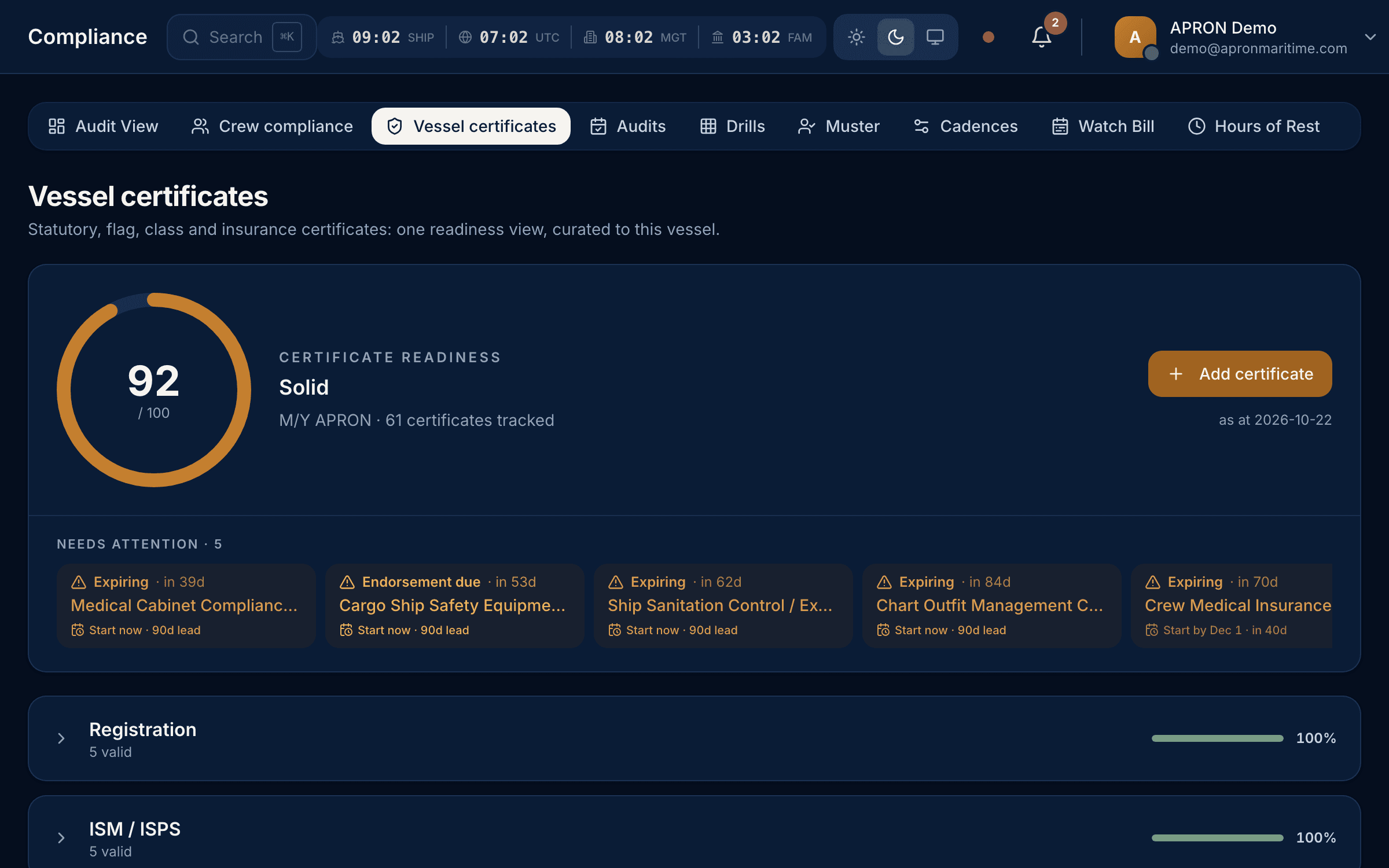
Vessel
Certificates in date, documents in order.
- Certificates, flag and class requirements and every rank's documents, one click from a PDF.
- One folder and naming structure across the fleet, so managers, agents and surveyors find everything in the same place.
- Certificate matrix built from the documents on the server, kept current as files are replaced.
- Large files and whole folder sets shared by link, expiring and revocable.
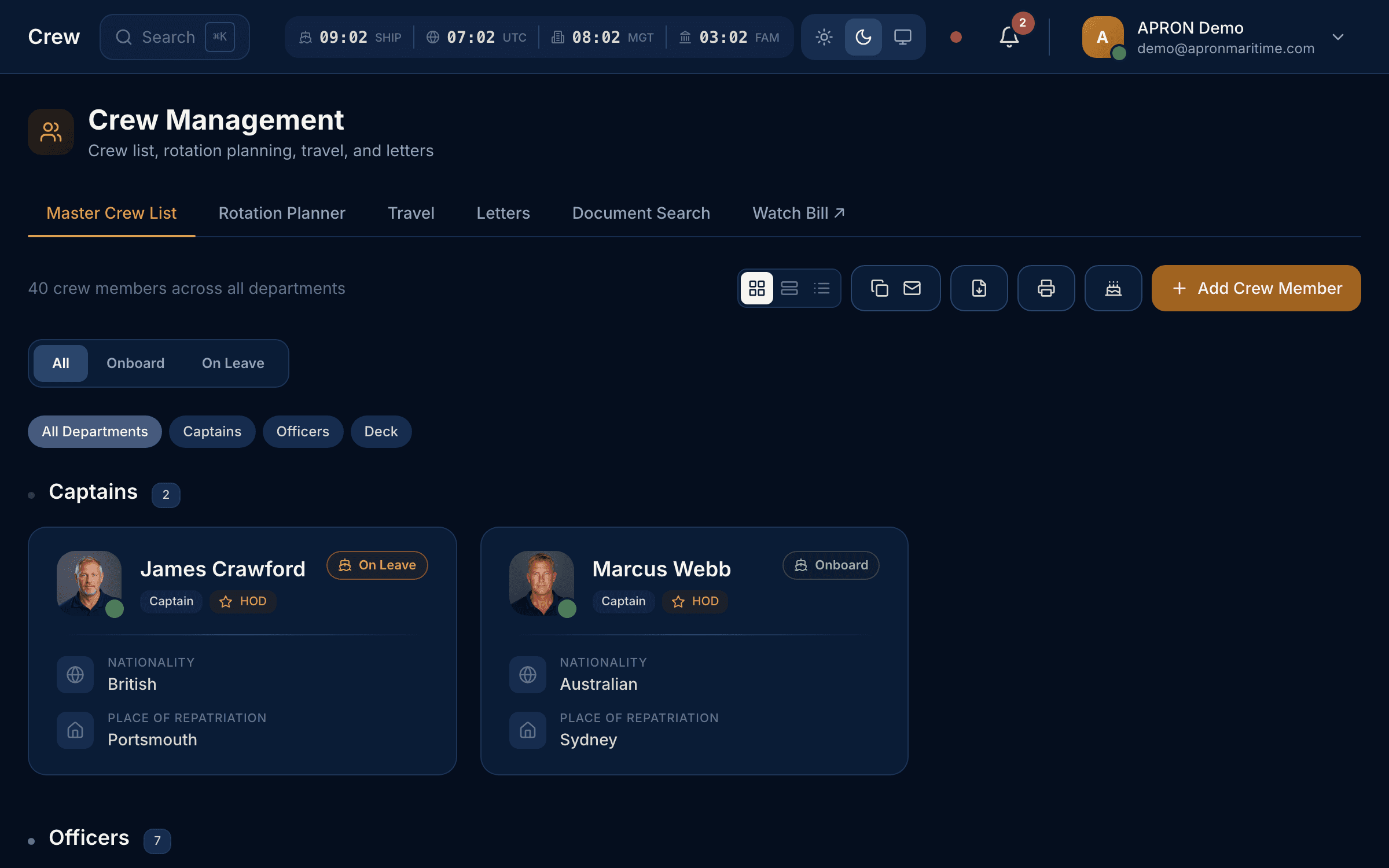
Crew
One record per crew member, vessel to vessel.
- From the first TouchBase invite to the final payslip and reference letters.
- Daily rest hours feed a fatigue forecast, flagging MLC or STCW breaches before they happen.
- Checked against minimum safe manning, so a shortfall shows before leave is approved.
- B1, Schengen, passport and travel letters produced in one click.
- Countdown on every certificate, visa and medical, with the crew member alerted first on TouchBase.
- Crew upload their own documents; at sign-off, testimonial and reference sent to TouchBase.
Also in Operations: Galley · Coming soon: Deck · Engineering · Interior
Compliance
Audit-ready every day.
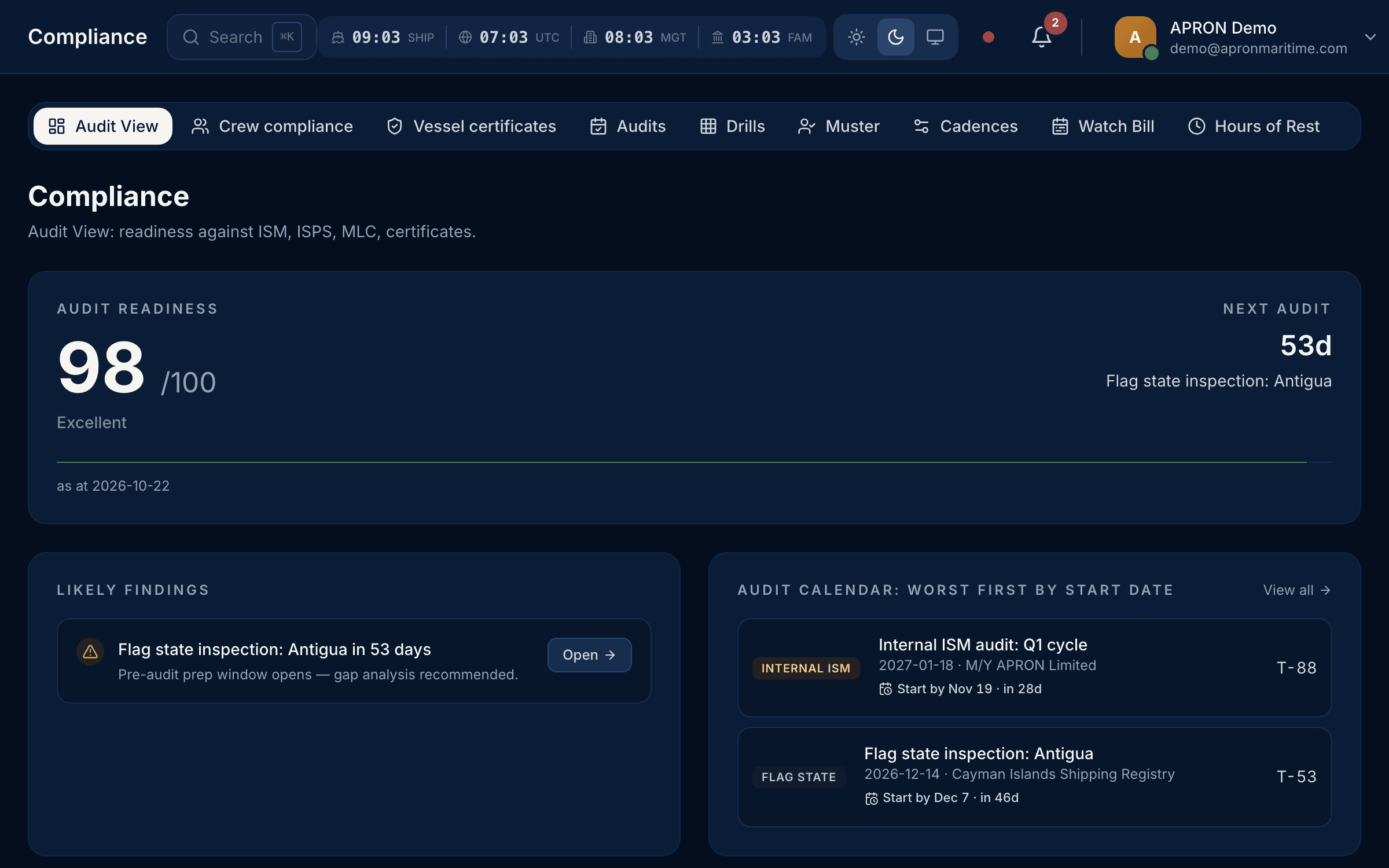
Compliance
ISM, MLC and flag-state requirements built into daily work.
- Readiness score with the findings an inspector is likely to raise, shown before the visit.
- Drills, near-misses and incidents logged as they happen; findings tracked to close-out.
- Hours of rest checked against MLC; drills tracked against the required frequency.
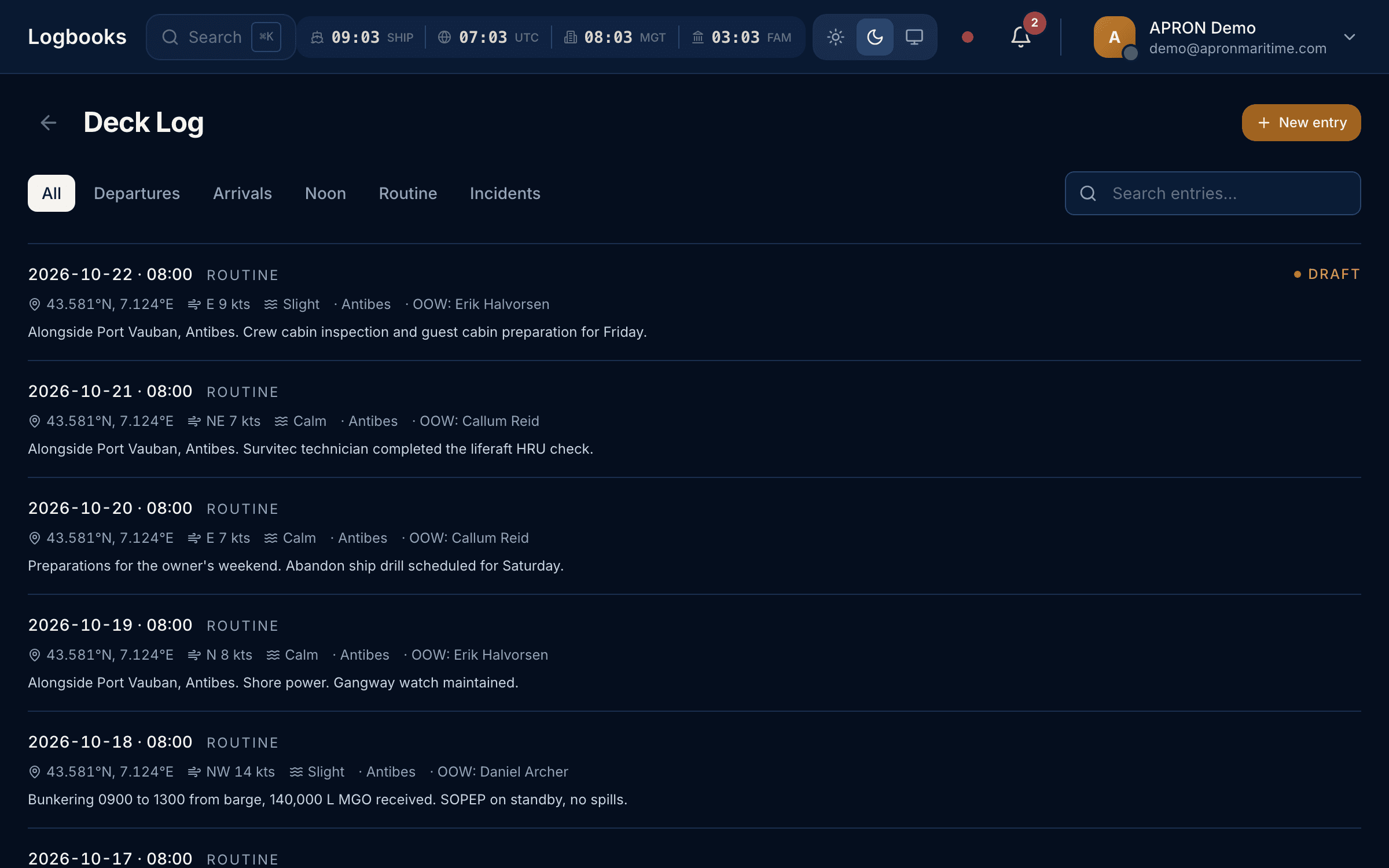
Logbooks
Every log, signed and searchable.
- Deck, engine, official, Oil Record Book, medical and garbage logs.
- Crew populate the data; responsible officers and HODs sign off.
- Built for MARPOL requirements.
- Signed entries are locked, so any later change shows.
Notices
The right people told, and the record kept.
- Sent to a department, role, watch, named crew or only those on board.
- Acknowledged on the crew member's phone, with quick comprehension checks.
- Critical notices nobody has acknowledged go to the HOD after an hour and the Captain after two.
Also in Compliance: SOPs · Tasks
Finance
Receipts to reports.
Designed to complement the vessel's accounting software, not replace it.
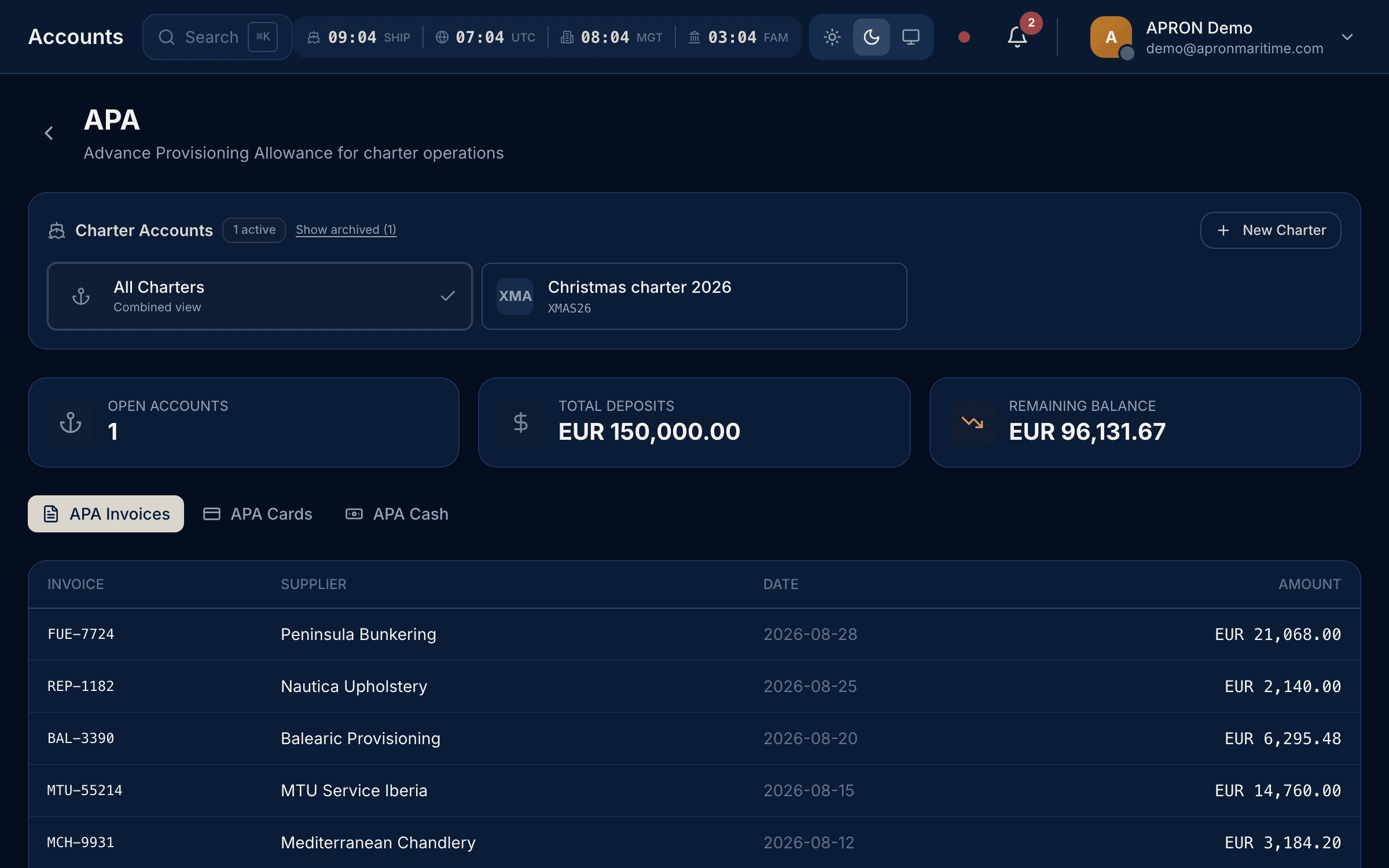
Accounts
Invoices, card and cash receipts, CTM, APA and petty cash, exported to accounting.
Suppliers
Supplier invoices recorded against the right account.
Reports
Budgets against actuals by department and charter.
- Crew expenses submitted on TouchBase, approved on APRON, reimbursed through payroll.
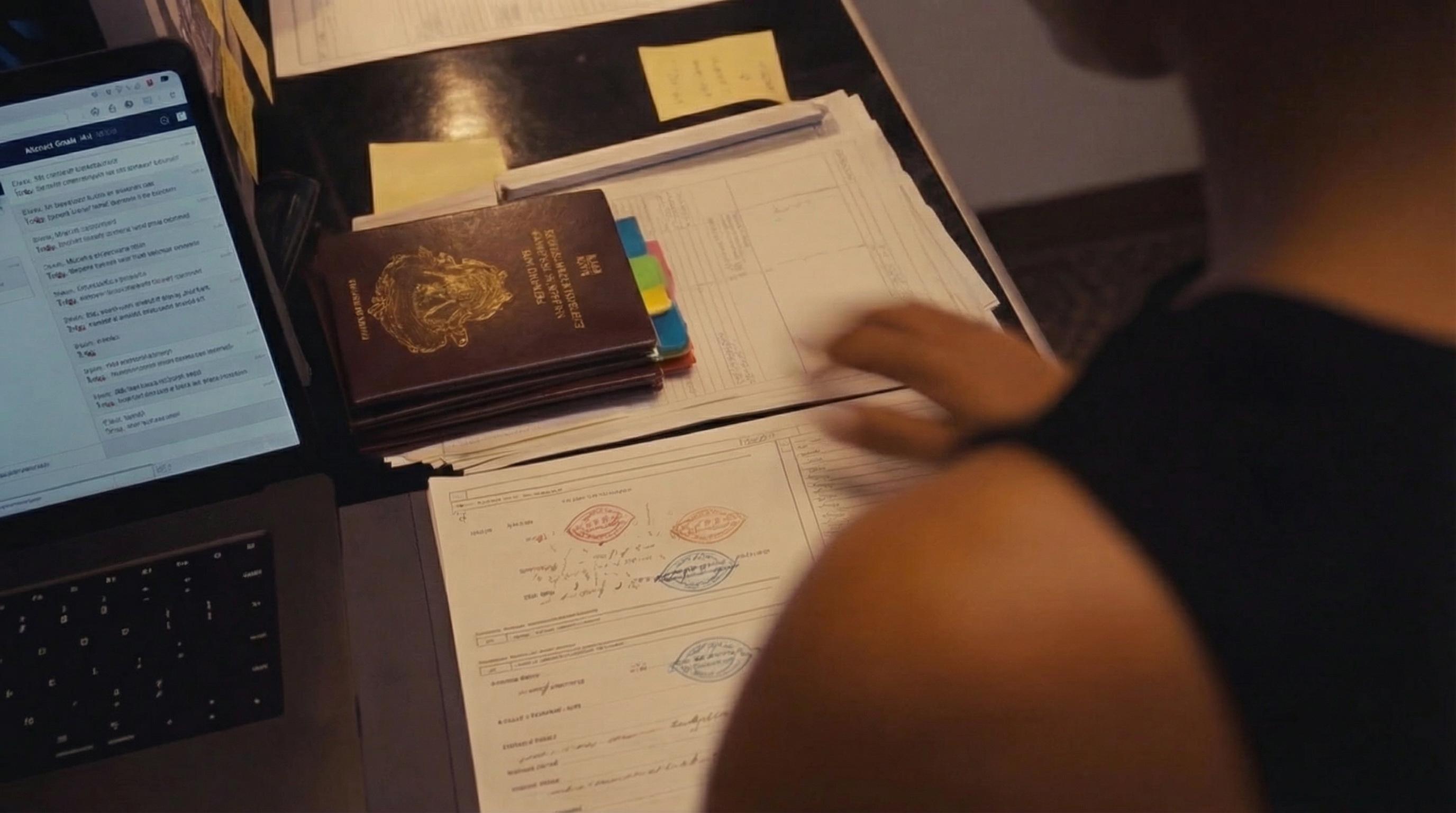
Onboarding in hours,
not weeks.
Point it at the server
Choose the NAS folder in your browser. Nothing to install.
It files what's there
Documents recognised, named and filed. Crew profiles built.
You confirm the rest
Your original folders stay untouched.
Crew data is personal.
We treat it that way.
EU compliant
Stored in the EU under GDPR, with a Data Processing Agreement for every client.
Encrypted, quantum-safe
At rest and in transit. Connections use post-quantum key exchange, so data sent today stays private as quantum computers arrive.
Sensitive fields encrypted again
Passport, bank and medical details.
Tamper-evident
Signed records are locked, so any later change shows.
Access by role
Everyone sees what their role needs. Organisations kept separate.
Backed up
Point-in-time recovery and versioned document storage.
Questions we
get asked.
No. APRON works with your existing NAS. Nothing to install.
Only new or changed files sync, when APRON is open on board. TouchBase works offline and syncs when connected; the APRON web app needs a connection.
In the EU, under GDPR. Encrypted at rest and in transit, with post-quantum key exchange.
APRON runs the vessel. TouchBase is the crew member's app. Free for crew; the vessel pays for APRON.
On request, based on the number of HOD logins and crew.
Hours. Do it yourself, or we'll do it with you.

See APRON in action.
30 minutes. The live platform, your questions answered.
- Onboarding in hours
- Speak directly to the founders
- Data stored in the EU
- Ask about early access